
 4.2
4.2 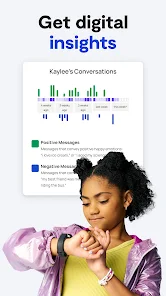
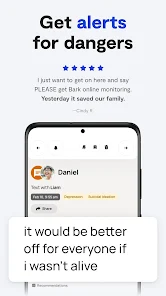
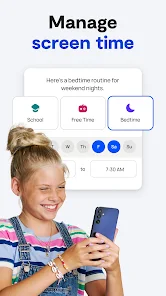
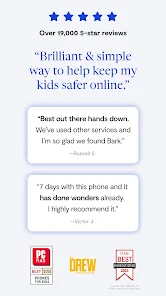
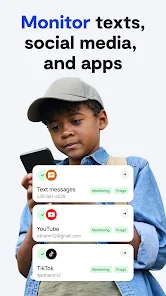
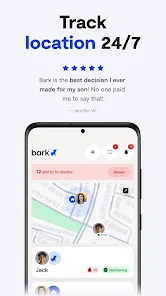

 Monitors online activity for safety awareness Alerts parents to potential risks and dangers Customizable settings for tailored protection Supports multiple devices for comprehensive coverage Encourages healthy digital habits in children
 Limited compatibility with some devices and platforms High subscription cost for premium features May generate false alerts, causing unnecessary concern User interface can be confusing for some parents
  Brittany Gentry
It's a pain to set up. The location hasn't worked once. It incorrectly displays who said something. my son has shown me the actual conversation and he was accused several times of something he didn't say. If you think it's going to block anything... nope. But it'll tell you every time it happens anyway. I have so many alerts even after turning them to most severe only. The latest bullying alert was from "hey man whats up with that?" A refund at this point would be great. 😮💨
Brian Michelthis app is absoulute trash. please dont waste your money on it. Android user here and it is a nightmare to set up if you can get past the set up. I couldn't get past it because Google blocks it deep in its settings and good luck getting the winning combo to make it work. it feels like you have to enter the dark web to allow all the permissions for this app. Its rediculous and not user friendly to set up at all. I can only imagine the actually functionality of the app is just the same.
Katie StephensonDisappointed. The app is nee to me, but it says it monitors and flags certain things with your child's device. I sent stuff that should have been flagged, to see how notifications and stuff worked, and it did not flag any of the messages I sent. I'm going to keep playing around with it, but I think I am going to have to go with something else.
Karla H*It's an Android phone. Needs a lot of work. Disconnects from monitoring devices often and if they don't keep the app/notification open on their phone, you can't track their location. Major flaw. This is causing me to switch to Life360 for safety. Final straw, they don't monitor the Discord app on computers. Major safety issue. I'm finding something else.
Briana O’Nealapp is not user friendly, the company charges a lot for these features that don't work very well. I tried for months to get numbers added, things like that, and it never worked. and when I inquired about options for my account, the rep took that as a license to charge me for the phone, putting my bank account into overdraft. and now the phone is paid off but I still can't use it, and rn I'm trying to get them to remove the software, and I keep being ignored. -10000/10
Review Source: Google Play store public user reviews.
Bark - Parental Controls may collect certain personal data for account setup and service enhancement, but it prioritizes user privacy and adheres to relevant data protection regulations.
Bark - Parental Controls offers a free trial period for new users to explore its features, but there is no permanent free version available.
Yes, Bark - Parental Controls requires an internet connection to function effectively, as it relies on cloud-based technology to monitor and analyze online activities.
You can contact Bark's support team through the app or their official website, where you can also find options for sending feedback or accessing help resources.
You can manage or cancel your Bark - Parental Controls subscription through your account settings within the app or by visiting the Bark website for additional instructions.
You can reach Bark's customer service via their website or by emailing support
After signing up, check your email for the activation link. Click it to activate your subscription, and follow the prompts in the app to complete setup.
To log in, open the Bark app and enter your email and password. If you’ve forgotten your password, use the "Forgot Password?" link.
Bark does not provide a direct customer support phone number; please use their online support system for assistance.









 Home
Home  Apps
Apps  Games
Games  Windows
  Terms of Service
  Cookies & Privacy Policy
  Disclaimer
  Google Play
  App Store